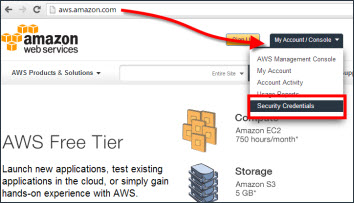
Go to aws.amazon.com and click on My Account/Console
Then select Security Credentials from the drop down
Enter your login details when prompted
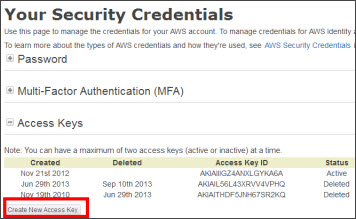
You can only have 2 pairs of active keys at any one time
You may need to make a pair inactive or delete a pair before you start
When you are able to, the Create New Access Key button will appear in the bottom left
Click on it to create a new pair
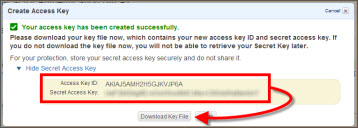
Your new key pair will show on screen
You can copy and paste them into Vuhuru
Make sure that you Download Key File too, as you will not be able to access them later
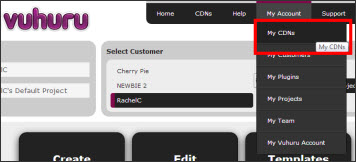
Go to your Vuhuru account
Click on My Account and select MyCDNs from the drop down
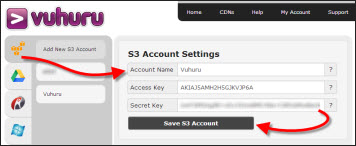
Click on the Amazon S3 icon on the left hand side
Click on Add New S3 account
Copy and paste in your keys
Then click Save S3 Account
Your CDN will now show when you create or edit a player - learn more here