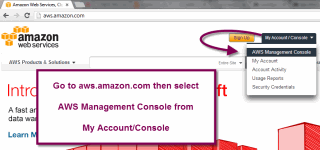
Go to aws.amazon.com and click on My Account/Console in the header
Choose AWS Management Console from the dropdown
Follow the login process to enter your AWS account
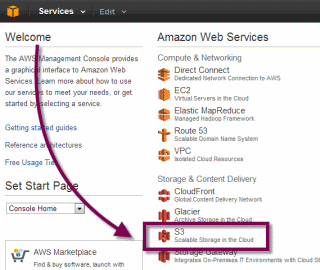
Select S3 from the available services
This will take you to the S3 Management Console
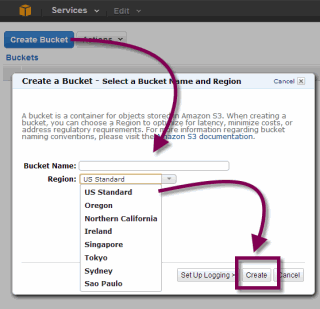
Once in the console, you can easily add a new folder, called a bucket
Click on Create Bucket
Enter a name for your bucket
Select the location of your bucket - see pricing for different locations here
Click Create
Navigate to your new bucket and click on it
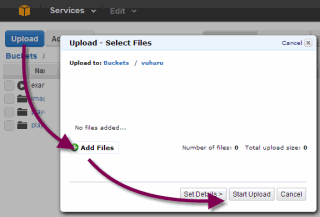
Click on the blue Upload button
Click Add Files to open files on your computer
Select the files you want to upload
Click on Start Upload
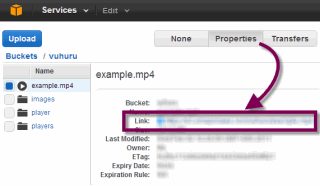
Once uploaded, you can get the file location of a video by clicking on the file in its bucket
Then click on Properties
The Link option shows you the file location for creating a player at Vuhuru
Alternatively, you can link your Amazon S3 account directly to Vuhuru using MyCDNs, to create videos players in a few clicks - learn how to do that with this guide - click here