Help with error codes for plugin keys
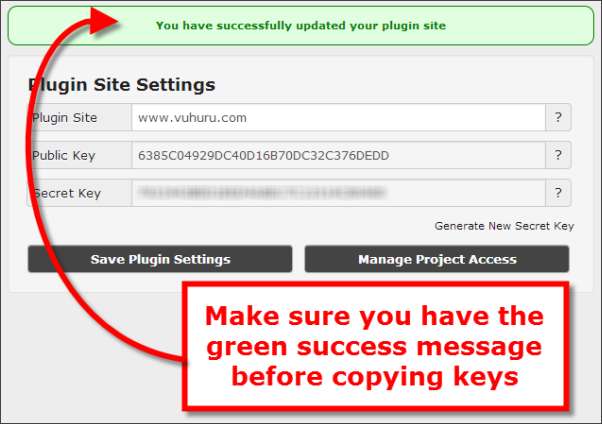
When you activate your plugin at your website, you need to paste in a pair of keys from Vuhuru
However, if something goes wrong you may get one of six error messages; here is a guide on what they mean and how to solve the issue
Error message: VE001 = Public Key Not Found
Cause: You have entered the public key incorrectly
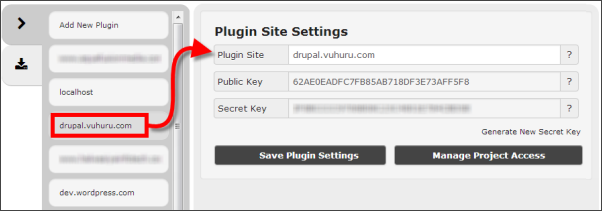
Solution: Go back to Vuhuru and re-copy the key and paste again (make sure you are viewing the correct plugin)
Error message: VE002 = Time Too Skewed
Cause: Server time / date is likely to be wrong
Solution: Check that the server where your site is hosted is set to the correct time and date
Error message: VE003 = Method Not Found
Cause: This is our error, it means the plugin tried to do something that the system didn't recognise
Solution: See if there is a updated version of the plugin and if so, install
Error message: VE004 = API Site Invalid
Cause: We can't find a record of the public key
Solution: Check that you have saved the website details in My Plugins; re-copy and paste the keys
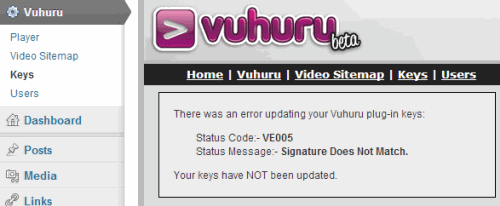
Error message: VE005 = Signature Does Not Match
Cause: The public / secret key combination is wrong (especially likely to happen if you have generated a new secret key and not updated it at the plugin)
Solution: Check that you have saved the website details in My Plugins; re-copy and paste the keys
Error message: VE006 = Plugin Site is Invalid
Cause: The request came from a site other than the specified API site (i.e. you have associated the wrong keys with the wrong domain)
Solution: Firstly, check you have uploaded the plugin to the correct domain; does that website have an active plugin at Vuhuru?
Secondly, make sure you are looking at the right set of keys, are they the keys for the website you are looking at? Either of these should fix your problem
If you are still having plugin issues, please raise a ticket with Support
|
|