Vuhuru

Activate the WordPress plugin

Once you have generated your keys you can use them to activate your WordPress blog plugin so you can manage your players in your website control panel.

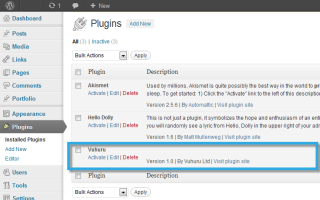
Step 1 - Activate in plugins list

Once uploaded, you need to activate the WordPress plugin.

Here is our guide to uploading your plugin if you haven't yet completed this step.

Start by navigating to plugins in your WordPress blog.

If you have uploaded the plugin it will show in the list.

Click on Activate just under the plugin title.

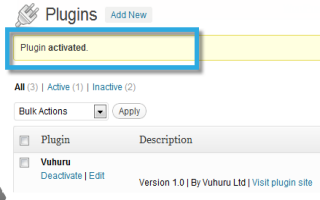
Step 2 - Successful message

WordPress shows you a message that the plugin was successfully activated.

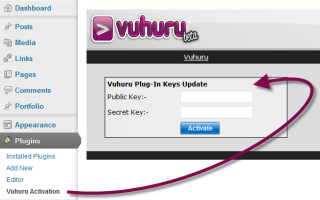
Step 3 - Vuhuru activation link appears

A new link appears in the plugin control panel on the left - it says Vuhuru Activation - click it.

The Vuhuru key update box shows.

Step 4 - Generate keys

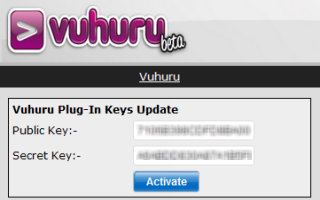
Generate a pair of keys for your plugin site (guide here).

Paste them into the fields and click Activate.

Step 5 - Paste in keys

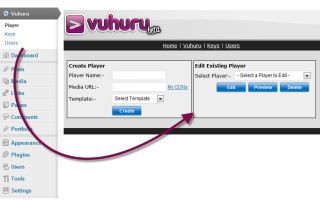
A new option shows in the left hand control panel at WordPress - Vuhuru.

The Vuhuru Video Dashboard for WordPress also shows - here you can create, preview, delete and embed players.

Learn more on the Vuhuru Video Dashboard for WordPress by following this link.

© 2012 - 2026 Vuhuru Ltd. All Rights Reserved. Reproduction without permission prohibited.
Vuhuru 1-003